Find your church and sign in
Install the app or open it on the web, find your church and sign in.
Find your church and sign in
Search for your church, then sign in with your username or email address and your password.
1. Find your church
Type part of your church's name, city or state in the search box, for example Hillside or Hillside, Springfield. Tap or click your church in the results.
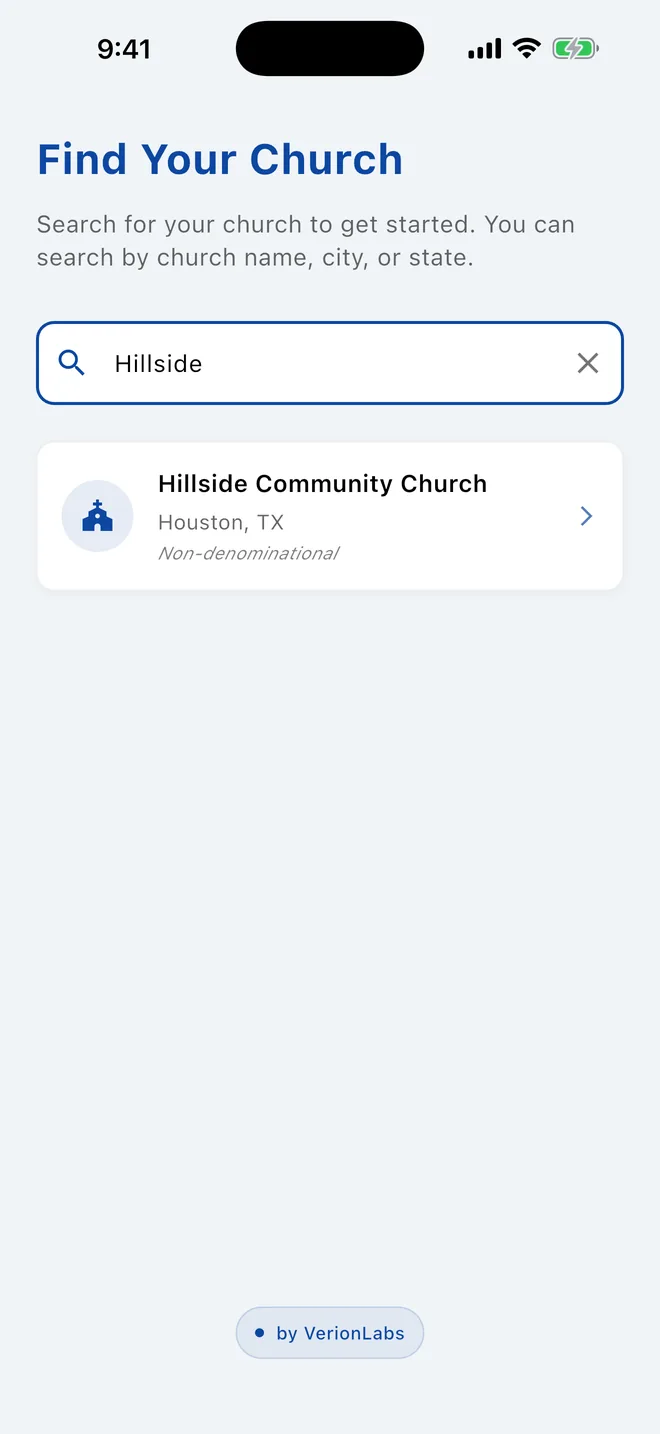
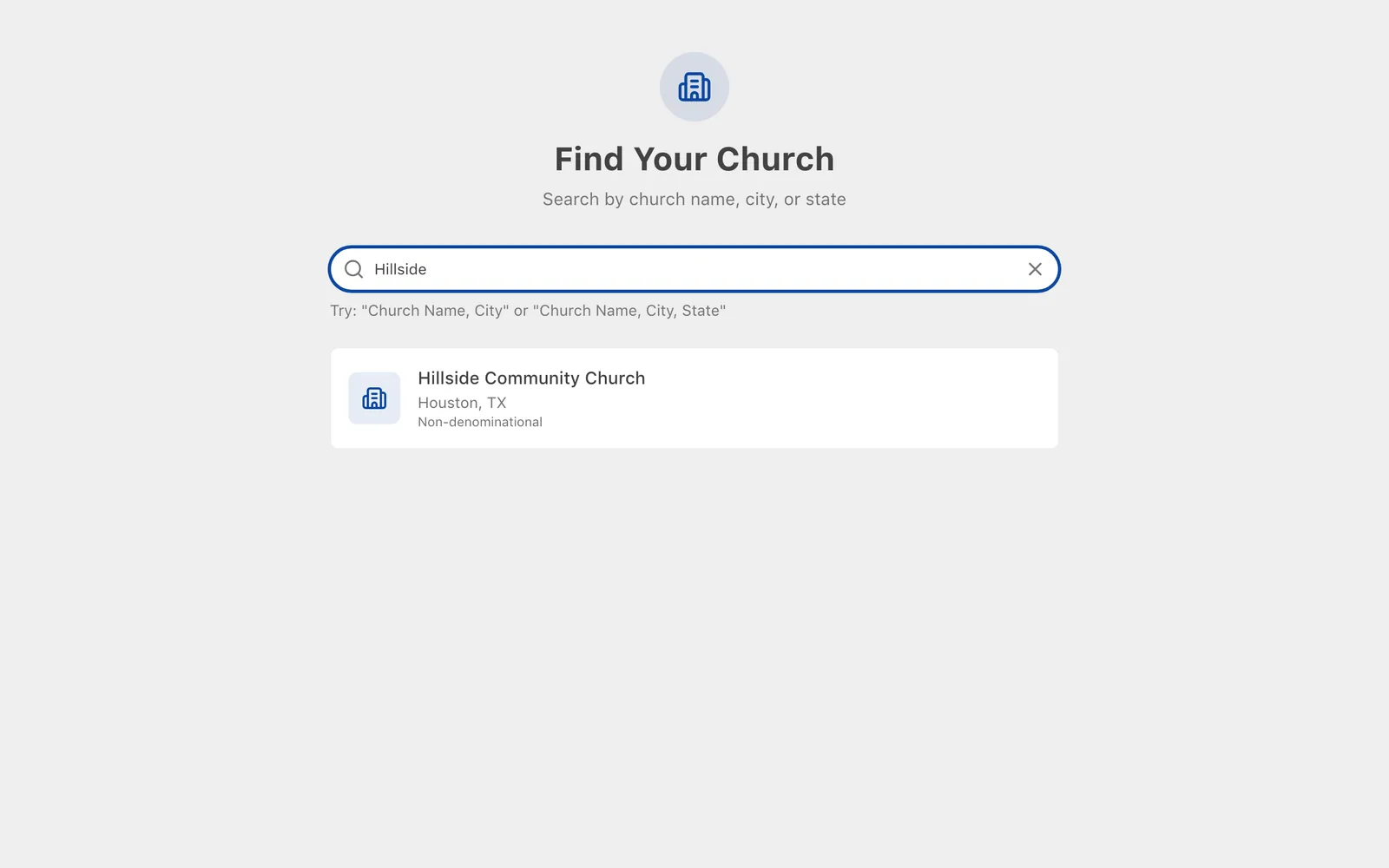
If you see hasn't joined the app yet, that church isn't using Church Directory Plus. Check the city, or ask your church office.
2. Sign in
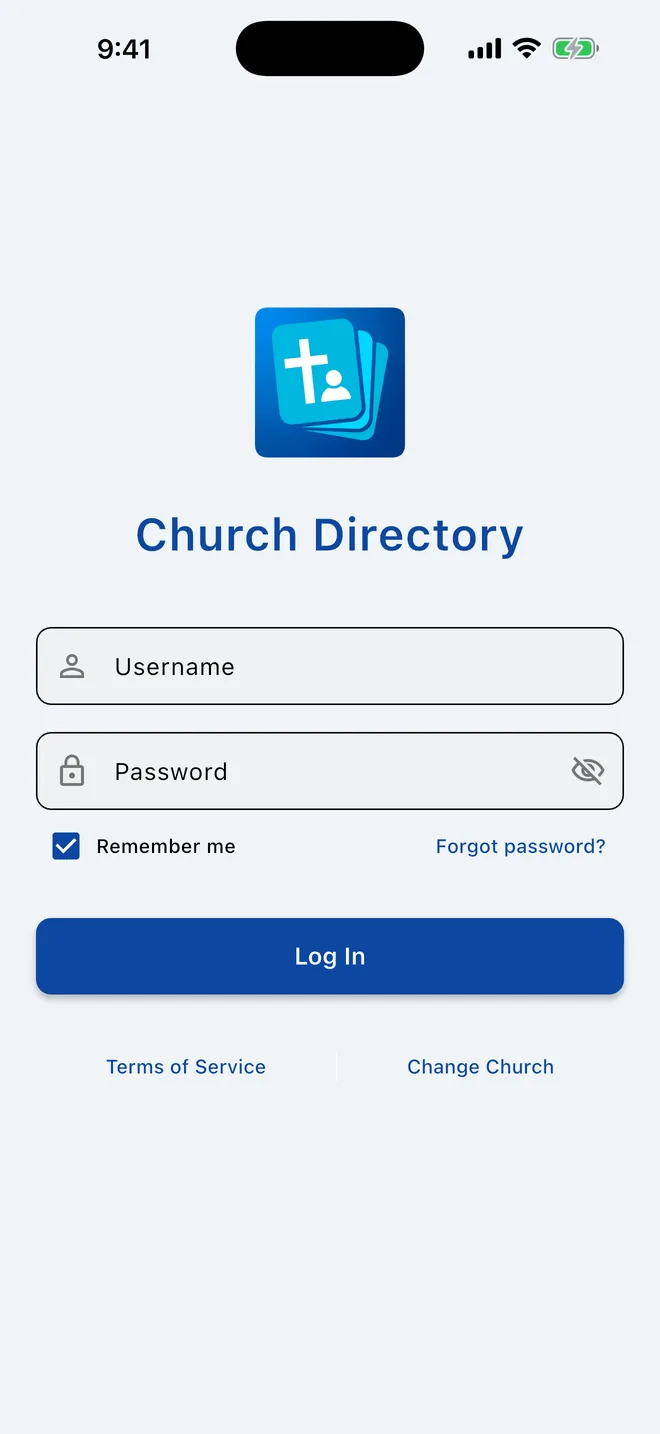
- In Username, enter your username or the email address your church has on file.
- Enter your Password.
- Leave Remember me on so you stay signed in, then tap Log In.
The first time, the app downloads your church's directory. This takes a few seconds; keep the app open until it finishes.
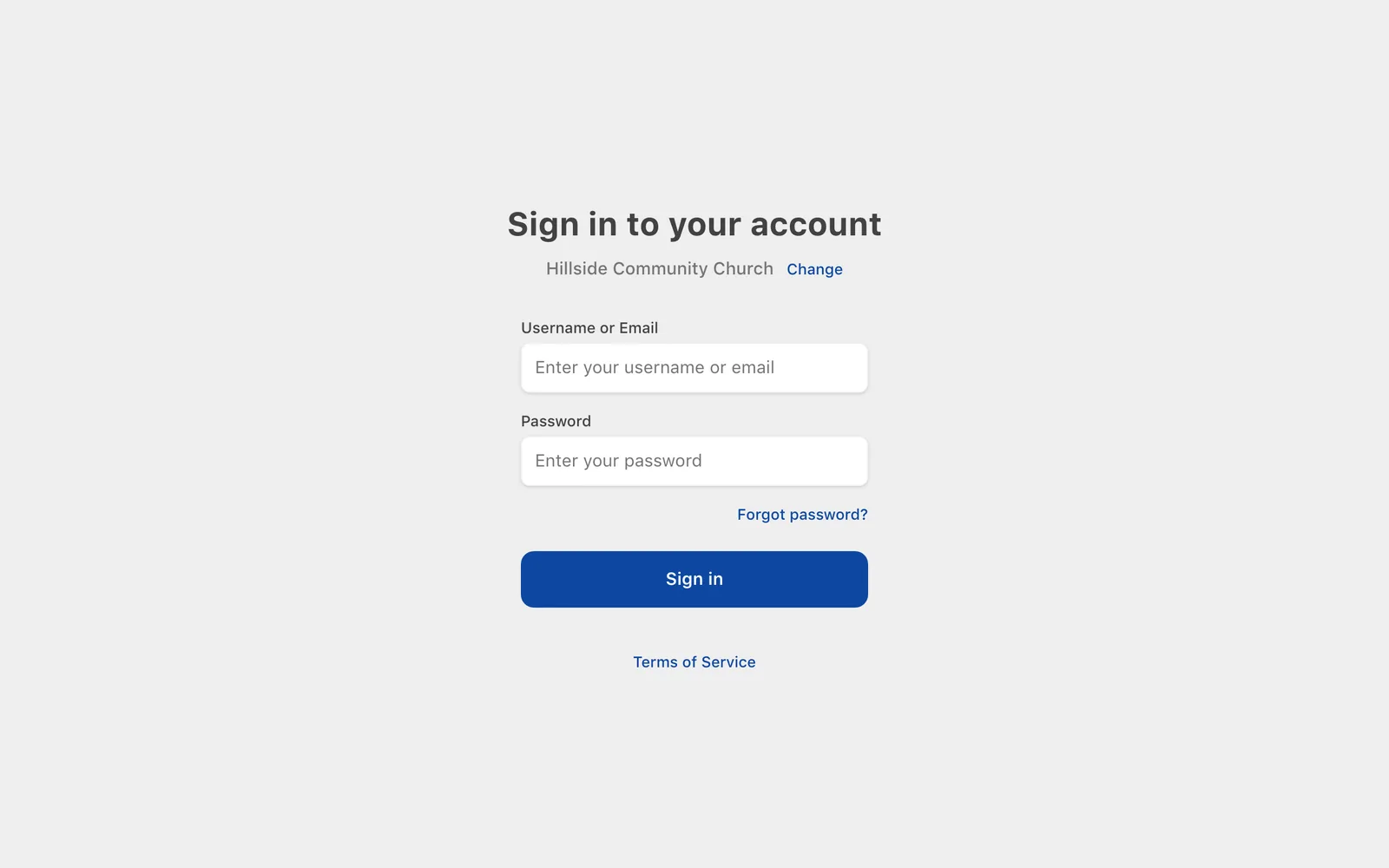
- In Username or Email, enter your username or the email address your church has on file.
- Enter your Password and click Sign in.
If your account has two-factor authentication turned on, you'll then be asked for the 6-digit code from your authenticator app.
Signing in with an email address shared by your family
Some families share one email address. You can still sign in with it: the app signs in whichever family member's password you enter. If two of you use the same password, sign in with your username instead.
Picked the wrong church?
On the sign-in screen, tap Change Church. If you're already signed in, use Logout at the bottom of the menu; the app goes back to Find Your Church.
On the sign-in page, click Change next to the church name. If you're already signed in, click Switch Church at the bottom of the sidebar.
Trouble signing in
- Forgot your password or username? Use Forgot password?. It's the same process as first-time setup and lets you see your username and choose a new password.
- "Your account has been locked": after 10 wrong passwords in a row, sign-in is blocked to protect your information. Email directory@verionlabs.com to unlock it.
- Phone numbers don't work as a username. Use your username or email address.
- "Subscription expired" or "Trial ended": your church's subscription needs renewing. Let your church office know.
Related Articles
Change your password
Change your password while you're signed in. Forgot it? Reset it with your phone instead.
Account & SettingsTwo-factor authentication
Add a second step to signing in with a code from an authenticator app.
Account & SettingsFirst-time setup: choose your username and password
Your church added you to the directory. Confirm it's you with your phone number and birthday, then choose a username and password.
Getting StartedWas this article helpful?
Thank you for your feedback!