View someone's details
Find people and families in your church directory and get in touch.
View someone's details
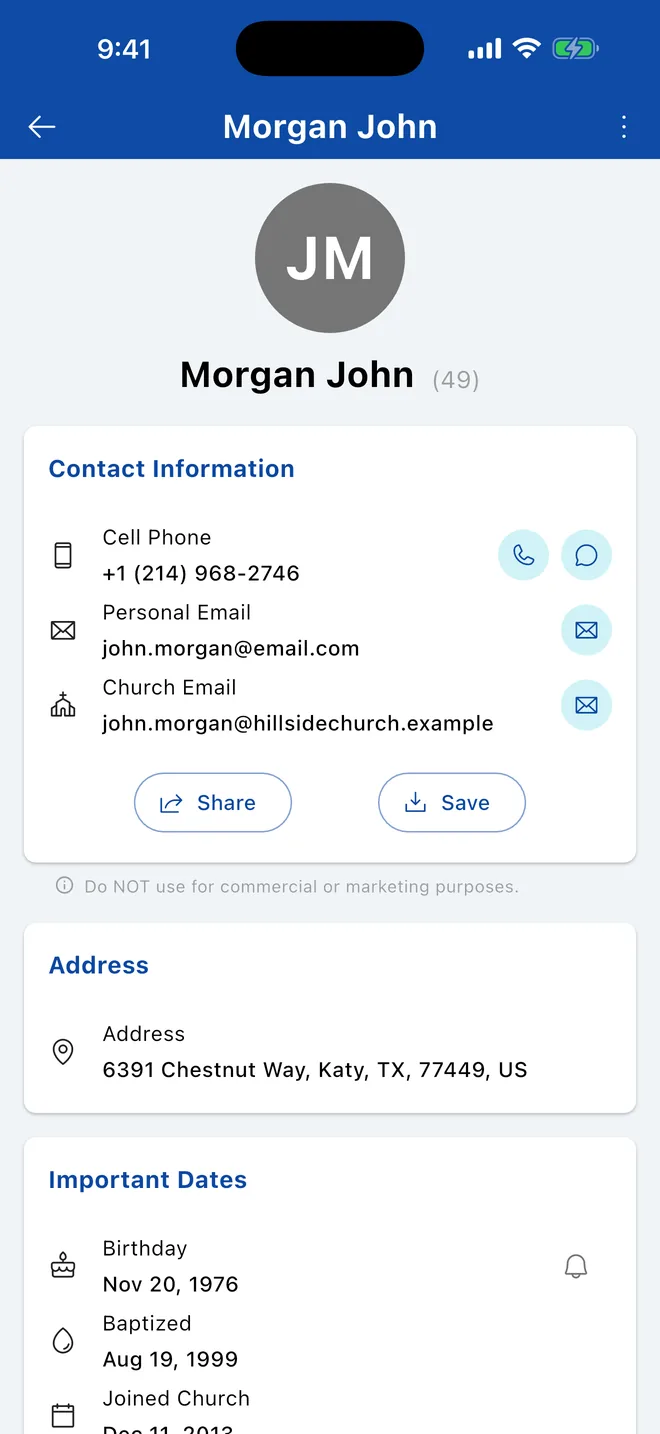
Open a person to see their contact information, family, groups and important dates.
Tap or click anyone in the directory, in a group, or on the dashboard to open their details.
What you'll see
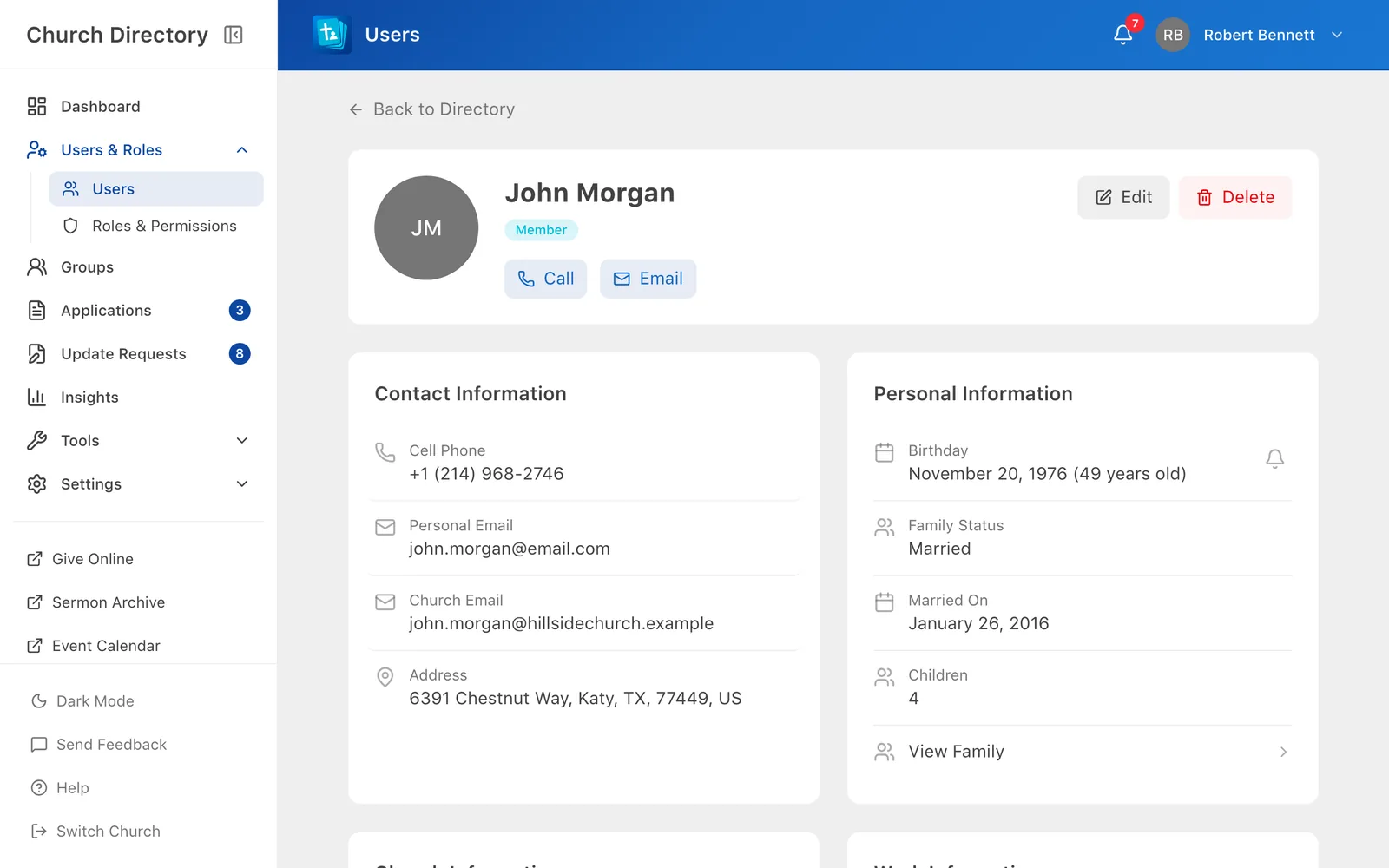
- Contact information: cell and work phone, personal and church email, address.
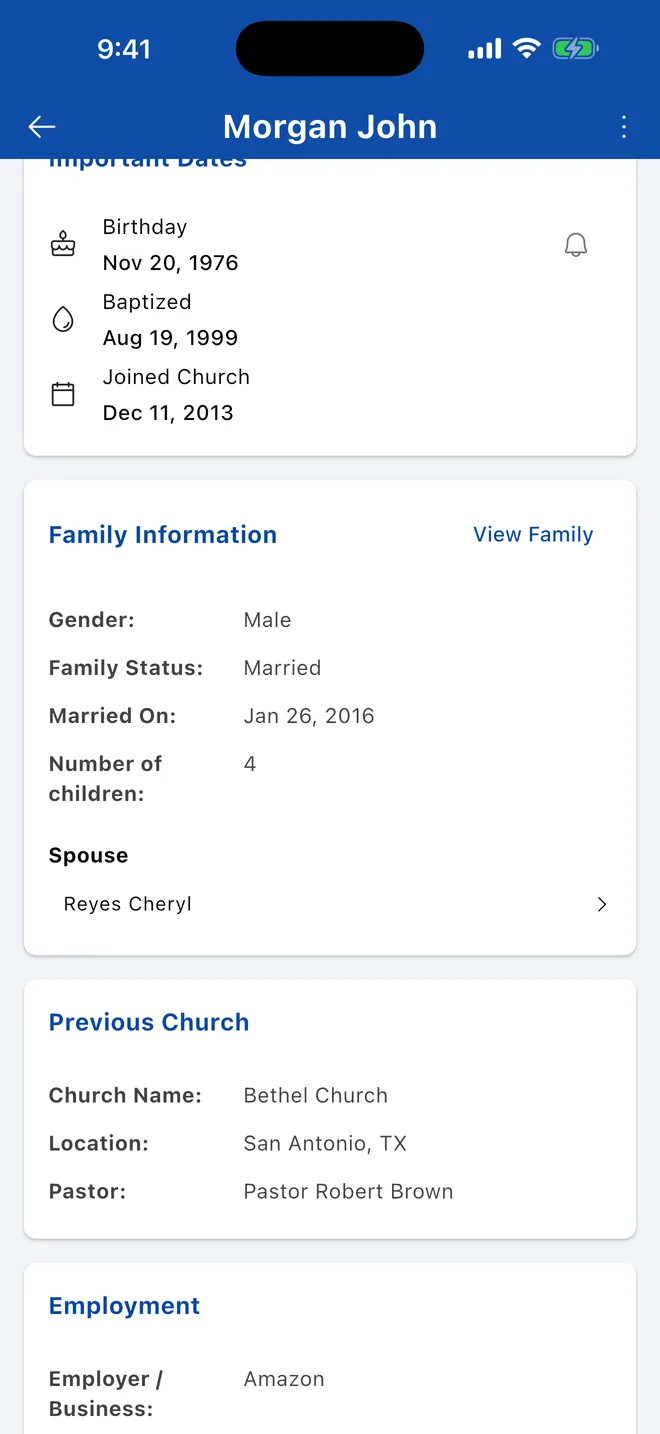
- Important dates: birthday, when they joined the church, baptism, wedding anniversary.
- Family: spouse, children and a View Family link to the family page.
- Groups they belong to. Tap or click one to open it.
- Previous church and employment, if your church records them.
- Notes: private notes, visible to staff only.
You'll only see the sections your role allows. Someone may also have chosen to hide their birthday. See Who can see what.
Birthday reminders
Tap or click the bell next to someone's birthday to get a notification on the day. See Birthdays.
More options
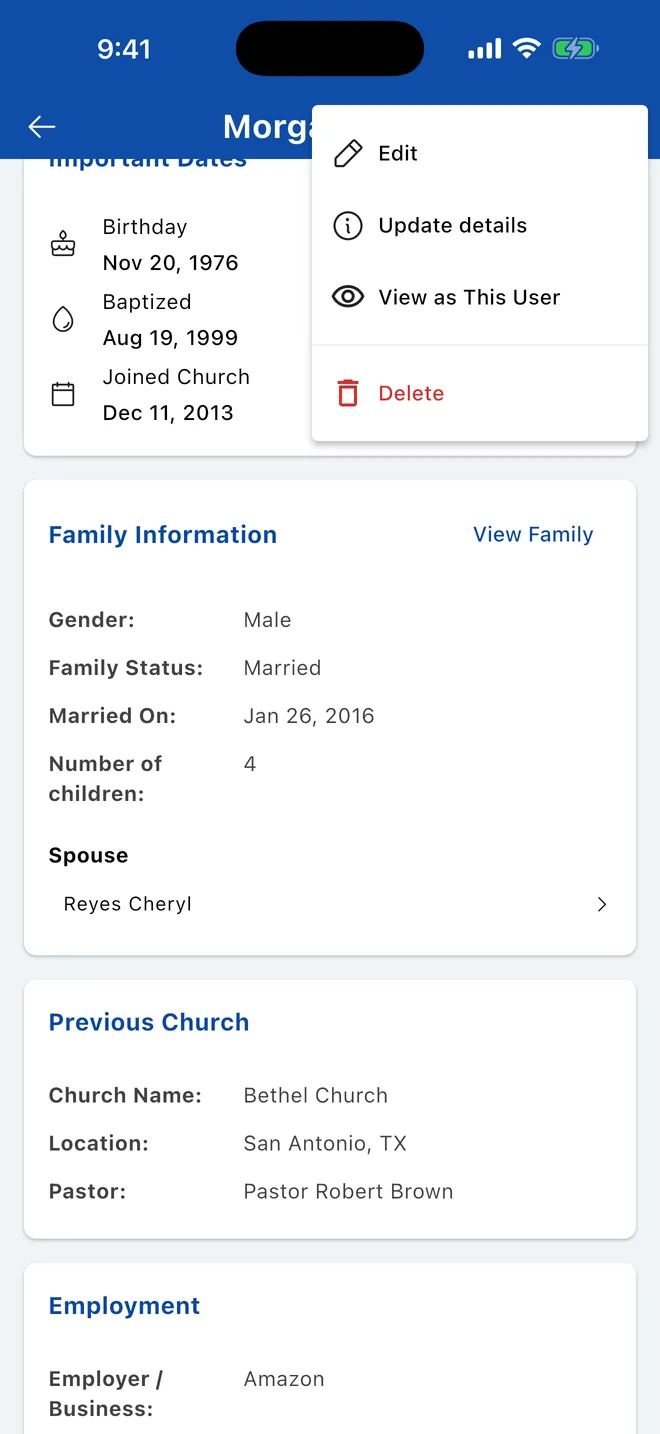
Tap ⋮ at the top right. Depending on your role you'll see:
- Edit: change their details (staff).
- Request Profile Update: suggest a correction for staff to approve.
- Update details: who created the record and who changed it last.
- View as This User and Delete (staff).
Staff see Edit and Delete at the top. When the record was created and last updated, and by whom, is shown at the bottom of the page.
Related Articles
Birthdays and reminders
Choose whether others see your birthday, and get a notification on the birthdays you care about.
Your ProfileCall, text or email someone
Contact people straight from the directory, get directions, or save them to your phone's contacts.
DirectoryFamilies and the family tree
See a whole household together, update the family photo, and explore relatives on the family tree.
DirectoryWho can see what
Your church decides what each person can see through roles. Here's how that works and how to control your own birthday.
DirectoryWas this article helpful?
Thank you for your feedback!