Action logs
For church administrators: dashboard, insights, roles, settings and billing.
Action logs
See who signed in and who changed what, and when.
1 min read
Updated Nov 17, 2026
Show steps for
The action log records sign-ins and changes: people, groups and roles created, edited or deleted, approvals, imports, exports and settings changes.
Open the menu › Tools › Action Logs. Search by name or action, and set a start and end date.
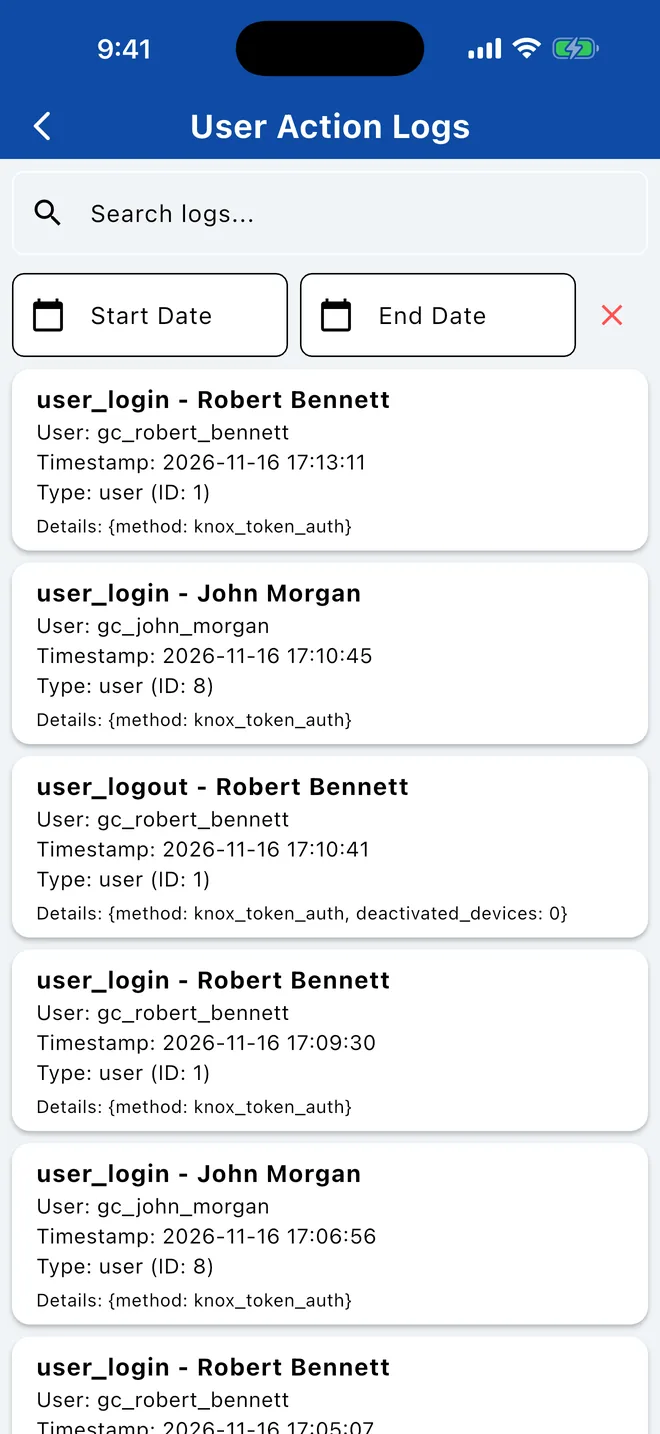
In the sidebar, open Tools › Action Logs. Use Search by user, action, or object... and the date fields to narrow it down.
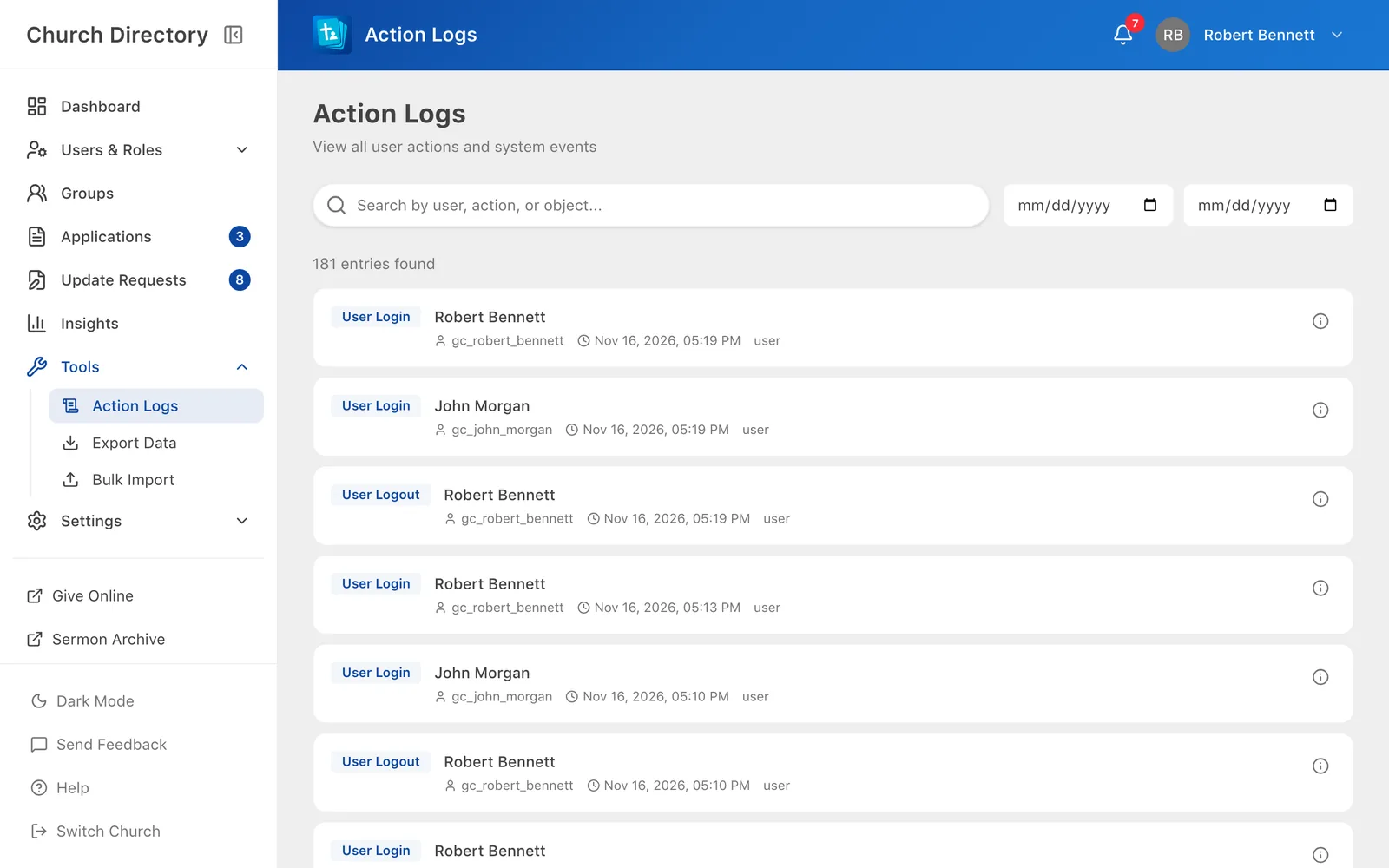
Each entry shows who did it, what they did, to what, and when. Only people with the action log permission can see it.
Related Articles
Was this article helpful?
Thank you for your feedback!