Exporting Directory Data
Browse, search, and connect with members in your church directory.
Exporting Directory Data
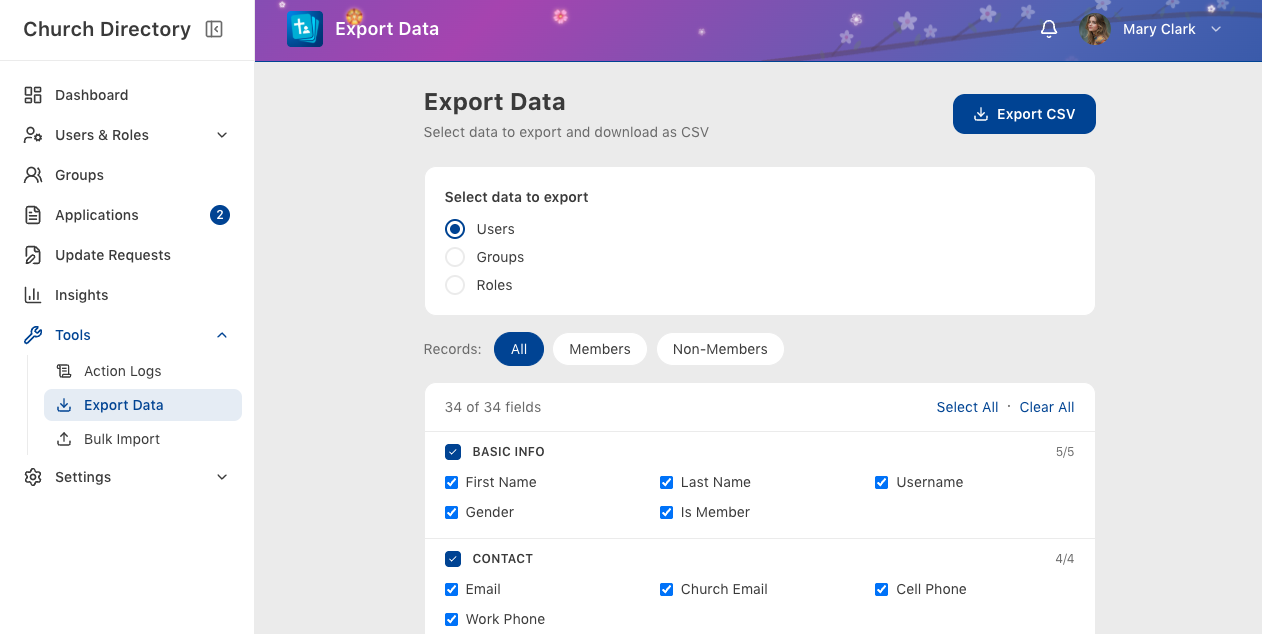
Export filtered directory lists to CSV format.
1 min read
Updated Mar 17, 2026
Users with export permissions can download directory data as a CSV file for use in spreadsheets, mail merges, or other applications.
Permission Required: Exporting requires the
can_bulk_export_users permission. This is typically limited to church administrators.
How to Export
- Apply filters (optional) – Use search or advanced filters to narrow down your selection.
- Tap the export button – When filters are active, an export button appears in the toolbar.
- Choose share option – Save the CSV file, share via email, or open in another app.
Export Contents
The exported CSV includes information based on your view permissions:
- Name and contact information
- Address (if you have address permission)
- Birthday (if you have birthday permission)
- Family information (if you have family permission)
- Employment details (if you have employment permission)
Tip: Export is also available from the side menu without needing to apply filters first. This exports all members you have access to view.
Was this article helpful?
Thank you for your feedback!